



























































Uncategorized
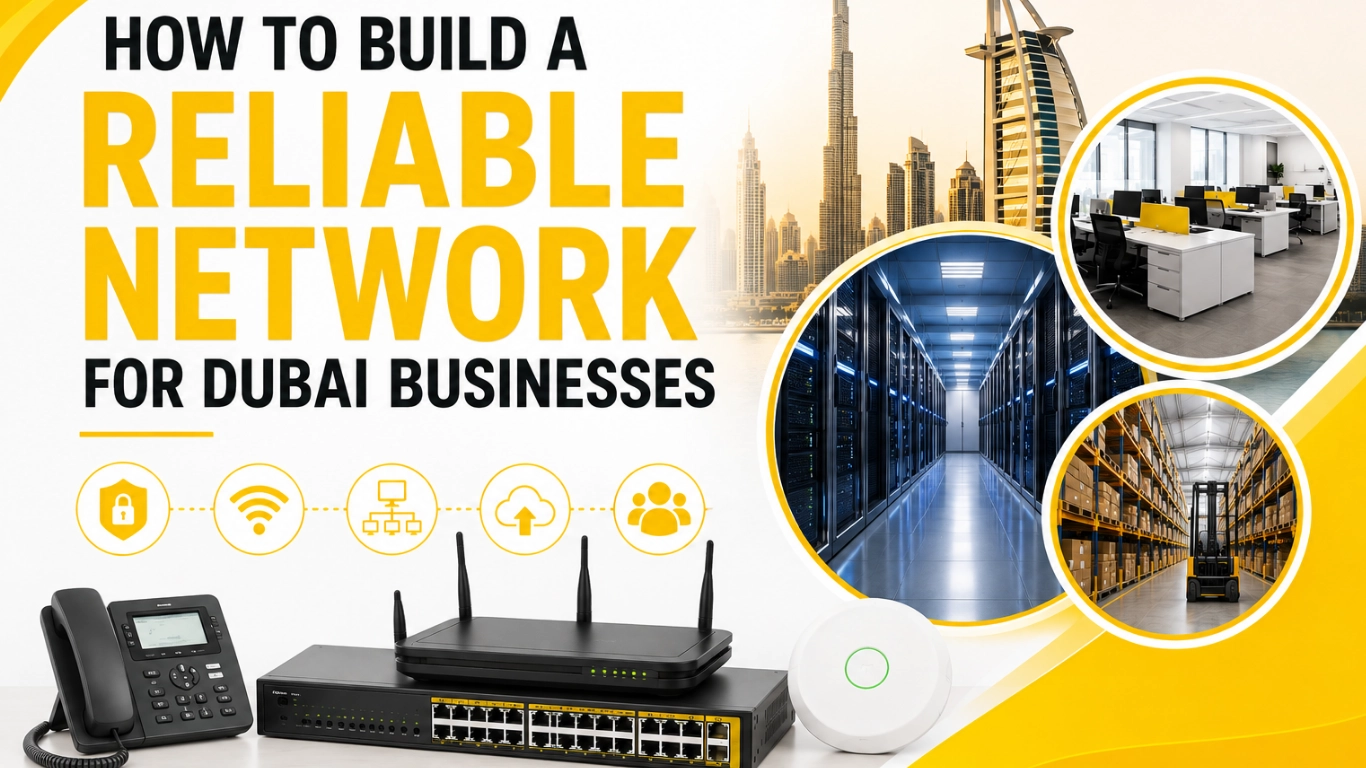
How to Build a Reliable Network for a Trading Company in Dubai
Aug
Trading companies conduct transactions with suppliers and customers, process orders, and manage inventory — often across multiple locations. They also rely on ERP systems to manage and access this data. Most of these business activities require reliable connectivity.
A slow or poorly designed network can create real delays for a growing trading business in Dubai. Cloud applications may become unrebusinesses need a reliable network capable of handling increasing trafficsponsive, Wi-Fi connections can drop, files may take too long to transfer, and important business systems can become unavailable.
There are several benefits to installing a safe and efficient network. Employees can conduct transactions across the business and use applications across multiple locations. A well planned network can securely connect all devices needed to conduct business.
Productivity increases and disruptions from poor connectivity decrease when the right infrastructure supports connected computers across the business, regardless of size. This guide contains key information on how to build a strong, dependable network for trading businesses in Dubai.
Why a Reliable Network Is Important for Trading Companies

A modern day trading company operates with a massive amount of information each day. Staff need to be in contact with each other, touch base with suppliers, process orders and manage stock, and finally, send invoices and access other key company applications.
If stability of the network is an issue, operations will be negatively impacted.
A stable network allows staff to consistently communicate with each other and access company applications with little to no hindrance.
For example, your business network may support:
- ERP and accounting systems
- Inventory management software
- Cloud-based applications
- Email and supplier communication
- Network printers and scanners
- IP phones and video conferencing
- Servers and shared storage
- Warehouse barcode scanners
- CCTV and security systems
- Employee and guest Wi-Fi
As more devices become connected, businesses need network infrastructure capable of handling increasing traffic without affecting performance.
A properly designed network also helps businesses improve security, manage users more efficiently, and prepare for future growth.
Assess Your Business Network Requirements
Before purchasing routers, switches, access points, or other equipment, first understand your company’s actual requirements.
There is no single network setup that works perfectly for every trading company. A small business with 10 employees has very different needs from a company with multiple departments, warehouses, and dozens of connected systems.
Planning your requirements before buying equipment can help you avoid unnecessary expenses and build a more dependable setup.
Number of Users and Connected Devices
Consider all the devices that need to connect to your network.
These include: desktop computers, laptops, smartphones, printers, IP phones, CCTV cameras, barcode scanners, servers and wireless devices.
Make sure there’s room for future employees and devices. Even if you’re currently supporting a small team, leave room in your network for future employees and devices rather than planning only for today’s numbers.
Business Applications and Network Usage
Different workflows create different demands for your network.
Network intensive workflows can include large attachment transfers, cloud backups, video calling, and database access.
Knowing what activities employees do on a network helps you decide what equipment fits your needs.
Office, Warehouse, and Multiple Locations
Many trading companies work from remote locations. You may have a warehouse, retail stores, numerous branches, or remote employees.
Your network must allow all your remote work locations to communicate with headquarters and work with the business systems.
Planning for Future Growth
When designing a network, you have to think about both where the business is currently and where the business may be in the future.
As the number of network users (employees) and the number of network devices (computers) and network applications (programs) grow, the demand on the network also increases. Choosing scalable equipment from the start makes future upgrades easier.
Build the Right Network Architecture
A strong network begins with the right structure. Randomly adding networking devices as the business grows can create a complicated environment that is difficult to manage and troubleshoot.
A typical business network may follow this structure:
Internet Connection → Firewall → Router/Gateway → Network Switches → Computers, Servers, Wi-Fi and Other Devices
Each component plays an important role in the overall setup.
|
Network Component |
Main Purpose |
|
Firewall |
Helps protect the network from unauthorized access and threats |
|
Router/Gateway |
Connects the business network to the internet |
|
Network Switch |
Connects wired devices within the business |
|
Wi-Fi Access Point |
Provides wireless connectivity |
|
Server or NAS |
Supports business applications, files, and data storage |
|
Network Cables |
Create stable wired connections between devices |
The network architecture should be planned according to the number of users, connected devices, business applications, and locations.
For larger businesses, network segmentation and redundancy may also be required to improve performance and availability.
Choose the Right Networking Hardware

The quality and suitability of your networking hardware can directly affect business performance.
Your network should use equipment that matches the number of users and the amount of network traffic. Buying the cheapest device without checking its capacity can result in slow performance and frequent connectivity problems.
Business-Grade Routers and Gateways
Business routers and gateways are hardware devices that control and manage the connection between your internal network and the internet.
Look for features based on your business requirements, such as:
- High-speed connectivity
- Multiple internet connections
- VPN support
- Traffic management
- Network security features
- Support for many connected devices
- VLAN compatibility
For businesses that rely on cloud computing, online collaboration and applications, it is important to select the right router hardware.
Managed Network Switches
Switches help link computers, printers, servers, access points and beyond.
Managed switches offer more networking control with features like VLANs, traffic monitoring, Quality of Service, and port management.
They are very useful when building a structured network for a large office or a large warehouse with many different network devices.
Quality Network Cabling
No matter how advanced your networking equipment is, poor-quality cabling can hold back its performance.
It is important to use quality network cabling and have a neat setup with clearly labeled connections, patch panels and networking racks when needed.
It helps reduce connection issues.
Cost To Cost UAE offers a range of business networking products, including routers, switches, and network cables.
Create a Strong Wired and Wireless Network
Trading companies rely on both wired and wireless networks today.
Wired connectivity can be used to connect desktop computer systems, servers, printers, and other network devices and storage to more reliably maintain a connection. Mobile devices such as employee laptops, smartphones, and tablets also need wireless network connectivity.
To keep your business connected, the combination of a properly planned wired and wireless network infrastructure is key.
Building a Reliable Wired Network
Certain devices need wired connections to maintain a stable network connection.
A strong wired network should consider:
- Suitable network cable categories
- High-quality connectors
- Proper cable routing
- Organized network racks
- Clearly labelled ports
- Appropriate switch capacity
- Room for future expansion
For servers and high-traffic systems, network speed requirements should also be considered carefully.
Planning Wi-Fi Coverage
Just one Wi-Fi router, no matter how powerful, can’t reach all areas of a large office or warehouse.
Large offices have to set up multiple access points to give good coverage to all of the areas.
Before setting up Wi-Fi, consider:
- Office or warehouse size
- Number of wireless users
- Number of connected devices
- Walls and physical barriers
- Meeting rooms
- Areas with high employee activity
- Warehouse requirements
Proper Wi-Fi planning can reduce weak signal areas and Your network should include appropriate security measures.
Selecting the Right Wi-Fi Access Points
Access points, used in businesses, are designed to handle many people and many devices.
When choosing an access point, consider coverage area, device capacity, Wi-Fi standards, management features, and security capabilities.
Cost To Cost UAE offers office Wi-Fi access points suitable for different business environments.
Improve Security with Network Segmentation and Firewalls
Network security is closely connected to network reliability. Cyber threats, unauthorized access, and infected devices can disrupt business operations.
A reliable network should include appropriate security measures to protect important systems and data.
Using VLANs to Separate Network Traffic
Not every device should operate on the same network segment.
For example, employee computers, guest devices, CCTV cameras, IP phones, and business servers may have different security and performance requirements.
VLANs can help separate network traffic into different segments.
A trading company may create separate networks for:
- Employee computers
- Business servers
- CCTV systems
- IP phones
- Guest Wi-Fi
- Warehouse devices
This can improve network organization and reduce unnecessary access between devices.
Protecting Business Data with a Firewall
A business firewall can help monitor and control network traffic based on security rules.
Depending on the solution, it may provide features such as threat protection, VPN access, application control, web filtering, and traffic monitoring.
A properly configured firewall can help protect the systems your business depends on and reduce the risk of security incidents affecting daily operations.
Securing Guest Wi-Fi and Connected Devices
Guest Wi-Fi should generally be separated from the main business network.
Visitors should not automatically receive access to business files, servers, printers, or internal systems simply because they are connected to the office Wi-Fi.
Access permissions should also be reviewed regularly, especially when employees leave the organization or device requirements change.
Reduce Downtime with Backup Internet and Traffic Management
For many trading companies, losing internet access can interrupt important business activities.
Cloud applications, ERP systems, emails, supplier communication, online services, and remote access may all depend on a stable internet connection.
Businesses that cannot afford long periods of downtime should consider network redundancy.
Using Backup Internet Connections
Having a secondary internet connection can offer some protection when an outage occurs on the primary connection.
In a suitable dual-WAN or multi-WAN configuration, important connectivity can be routed via the backup connection as needed.
This design can limit the impact of unpredictable internet issues on the stability of the network.
The design is contingent upon the nature and the scope of function of the business and the importance of uninterrupted connectivity.
Prioritizing Critical Business Applications
Not all network traffic has the same importance.
For example, a VoIP call or a cloud-based ERP session may need consistent performance over browsing the web or doing a large, non-critical download.
Quality of Service (QoS) can be configured to perform in accordance with the business needs for traffic prioritization.
Important traffic may include:
- ERP applications
- VoIP communication
- Video meetings
- Cloud business systems
- Critical database services
Traffic management can be configured to avoid the impact of non-critical activities on important business applications.
Monitor and Maintain Your Business Network
A network should be monitored and maintained after installation for an optimum experience.
Issues that are small in size can remain hidden if visibility is lacking. If a network is not monitored, then performance issues can build up gradually and cause major disruptions.
Important maintenance activities include:
- Monitoring bandwidth usage
- Checking network device performance
- Identifying unusual traffic
- Reviewing connection errors
- Updating firmware where appropriate
- Checking network cables and hardware
- Reviewing firewall and security settings
- Removing unnecessary access permissions
- Maintaining network documentation
Network documentation helps your IT team understand device configurations and where important equipment is located.
Regular maintenance will allow businesses to replace hardware before it fails.
Plan a Scalable Network for Future Business Growth

Trading companies can grow quickly by hiring more employees, opening new branches, and using additional warehouses. This growth results in more network demand.
When planning ahead, scalability comes into focus.
Think about possible future requirements, including:
- Additional employees
- More computers and mobile devices
- New Wi-Fi users
- Warehouse expansion
- Additional CCTV cameras
- More IP phones
- New business applications
- Cloud migration
- Faster internet services
- Additional office locations
Choosing networking devices that allow for scalability can save costs as your business grows.
An example of this would be purchasing a network switch that only allows for the connections needed today. Should the network grow, network connections would also need to grow which could result in an unnecessary operation to replace the entire network. Leaving some switch ports free would help with flexibility.
Your network should be able to scale alongside your business.
Common Mistakes to Avoid When Building a Business Network
Many businesses experience network problems because of poor planning rather than a lack of technology.
Avoiding the following mistakes can help create a stronger and more reliable network.
|
Common Mistake |
Potential Impact |
|
Buying cheap hardware without checking requirements |
Slow performance and frequent connectivity issues |
|
Using one Wi-Fi device for a large office |
Weak coverage and overloaded wireless connections |
| Keeping all devices on the same network |
Higher security and traffic management problems |
|
Ignoring future business growth |
Expensive upgrades and limited capacity |
|
Not having backup internet |
Longer downtime during connection failures |
|
Ignoring network security |
Greater risk of cyber threats and unauthorized access |
|
Skipping maintenance |
Unexpected hardware and performance problems |
The best approach is to plan the network based on business requirements rather than simply purchasing devices individually.
Build a Reliable Network with the Right IT Hardware
Creating a business network goes beyond a few computers and an internet connection. Your network should provide performance, security, availability, and should be able to flex with the needs of your business as it grows.
First, you need to estimate the number of employees and devices that will need network access. Then, you will need to create a network architecture, select routers, switches, wireless access points, and even cabling and storage, as well as other security devices.
A business network is the backbone of a trading company. It provides a way to improve trade communication and helps manage the trading applications a company relies on. A well-built network helps a trading company manage growing amounts of technology.
Cost To Cost UAE supplies trading companies in Dubai and the UAE with quality networking hardware, including routers, managed switches, wireless access points, networking cables, NAS, firewalls, and servers.
In order to run a trading company network, select a reputable supplier and purchase compatible networking hardware that can scale with your business. Browse the varying IT networking products Cost To Cost UAE has to offer and choose the products that will improve your business network, warehouse, or office.
frequently asked questions
A reliable network depends on properly selected hardware, suitable bandwidth, strong wired and wireless connectivity, network security, regular monitoring, and proper maintenance.
Managed switches can be useful for businesses that require VLANs, traffic monitoring, network segmentation, and greater control over connected devices.
If your company depends heavily on cloud applications, online communication, ERP systems, or internet-based services, backup connectivity can help reduce disruption during a primary connection outage.
Check Wi-Fi coverage, the number of connected devices, access point placement, physical barriers, and device capacity. Larger offices may require multiple properly positioned business-grade access points.
Cost To Cost UAE offers a range of IT networking products, including routers, switches, Wi-Fi access points, network cables, firewalls, NAS solutions, and other business IT hardware.