
























































Uncategorized
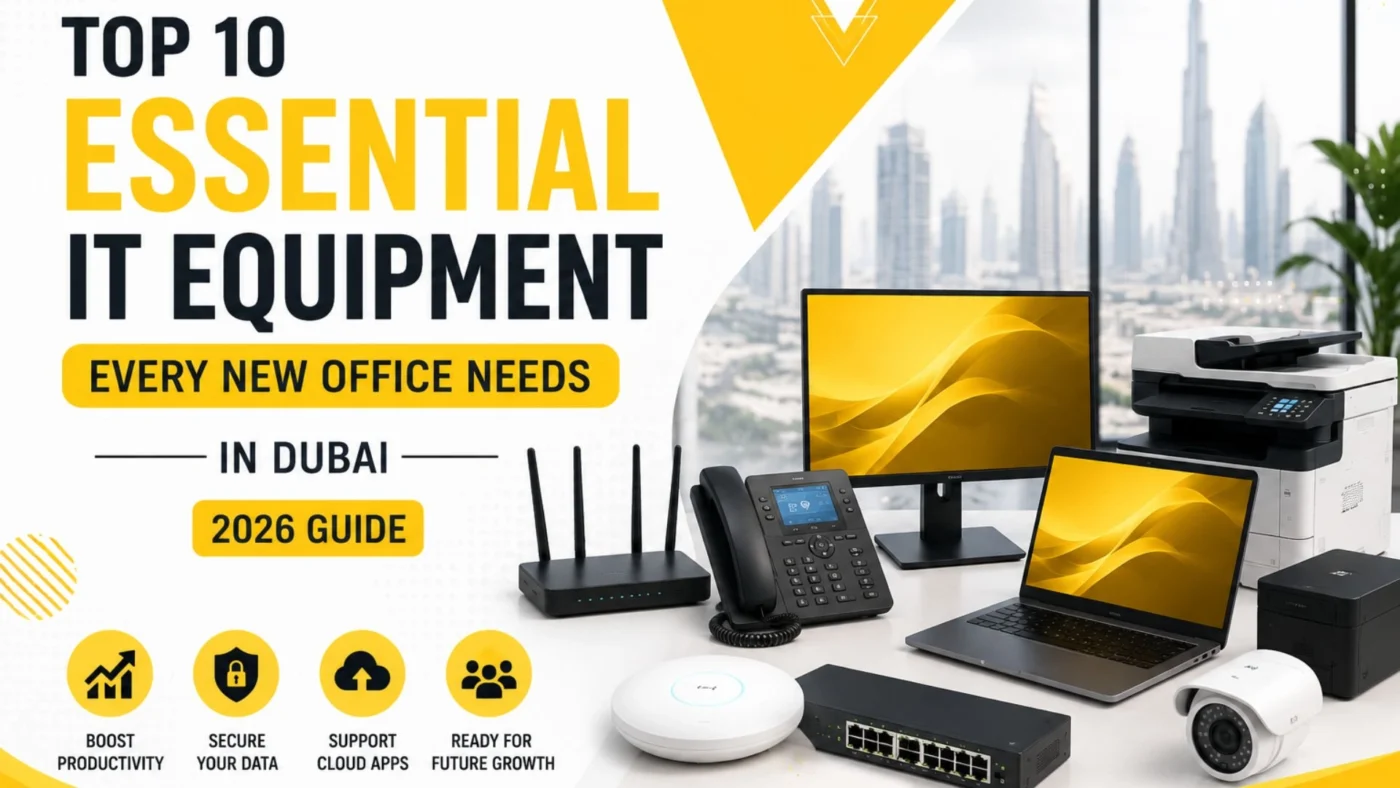
Top 10 Essential IT Equipment Every New Office Needs in Dubai
Aug
Choosing the right furniture is just one step in the process of making a new Dubai office ready for business. A solid setup for technology is crucial for all types of business communications and operations in a new office, as well as for productivity and safeguarding data. Selecting the right Essential IT Equipment at the start keeps businesses away from incurring additional costs and headaches because of incompatible pieces of technology and network issues.
The right Essential IT Equipment enhances productivity at an office, and also provides secure IT networking and cloud services solutions for modern business and the potential for future growth.
The modern office is a reflection of the business communications and operations technology that an office employs. Dubai businesses now utilize a wide range of connected technology such as cloud services, Microsoft 365, video conferencing, and VoIP business communications technology, in addition to cybersecurity. Rather than purchasing pieces of office technology in a vacuum, technology and the tools an office employs to integrate business communications and cloud services should be carefully planned.
In this guide, we cover the top 10 Essential IT Equipment categories every new office in Dubai should consider in 2026.
Why Choosing the Right IT Equipment Matters for a New Office

Rarely do businesses get the opportunity to have a brand-new office. Having a new office gives a company the perfect opportunity to build their IT systems exactly how they would like. Having a poor choice in equipment can lead to a lot of negative impacts such as having an unreliable communication system, a weak network, and an expensive system of networks to maintain and replace.
The right Essential IT Equipment can help businesses:
- Improve employee productivity
- Provide reliable internet access
- Protect business data
- Support cloud applications
- Enable secure remote working
- Improve communication
- Reduce downtime
- Support future expansion
- Simplify IT management
When it comes to IT equipment, the sole expense of the equipment is not the only thing to take into account. Several other factors need to be considered including performance, reliability, scalability, security, warranty, as well as how the equipment will be maintained over time.
Top 10 Essential IT Equipment for a New Office
1. Business Computers and Laptops
Essential IT Equipment for any office must include computers. Employees need computers so they can access the applications needed to perform jobs, communicate to clients, and manage office tasks. Choosing the right IT Equipment is based on the type of business employee.
IT Equipment for Administrative Employees is simpler than IT Equipment for Engineers. Administrative Employees might need a Business Laptops with average or less than average specifications. Engineers and Developers need high-performance Personal Computers.
What to consider when choosing office computers
Look for:
- Suitable processor performance
- Adequate RAM
- SSD storage
- Reliable operating system
- Business-grade warranty
- Appropriate screen size
- Security features
- Compatibility with business applications
Laptops may be the best choice for office computers, as they provide the flexibility for employees to work from meeting rooms, their homes, or clients.
A office desktops setup may still make sense for employees who work primarily from a fixed workstation and need larger displays or specialized hardware.
2. Business Network Router
A router is another critical part of your Essential IT Equipment list. It connects your office network to the internet and can provide important routing, security, traffic management, and connectivity functions.
A basic consumer router may not be up to the task for many growing businesses that employ dozens of people and have many connected devices.
A business router should ideally support:
- High-speed internet connections
- Multiple users
- VPN connectivity
- Firewall capabilities
- Traffic management
- Network monitoring
- Failover options
- Secure remote access
Dubai offices, on the other hand, may need to consider whether their Internet service is sufficient for their number of employees and the cloud and videoconferencing applications.
With the right configuration, a router can be a stable and critical component of a business network.
3. Managed Network Switches
Connecting computers, printers, access points, IP phones, servers, and other devices that require wired connectivity all require the use of network switches.
Because of this, managed switches should be included in your Essential IT Equipment when building a professional office network.
Managed switches are more advanced than the unmanaged switches. Configuring VLANs, Traffic Monitoring and Managing Services and Devices connected to the Switch are some of the managed capabilities that take control of the managed switch.
Why managed switches are useful
A properly designed switching infrastructure can help:
- Organize network traffic
- Separate departments or device types
- Support IP phones
- Connect wireless access points
- Improve network visibility
- Simplify troubleshooting
- Support future expansion
Select switches by requirements for Ports and Bandwidth, Power over Ethernet, and Growth for larger offices.
4. Business Wi-Fi Access Points
One of the most essential IT equipment needs for modern offices is reliable wireless connectivity.
Wi-Fi is used by employee laptops, Wi-Fi enabled phones and tablets, meeting-room systems, Wi-Fi enabled printers, and other devices. Insufficient wireless coverage causes slow connections, dropped calls, and other productivity issues.
Rather than a single consumer grade Wi-Fi router, a system of professionally installed access points should be used.
Important Wi-Fi considerations
When planning office Wi-Fi, consider:
- Office size
- Number of employees
- Building layout
- Walls and interference
- Expected number of devices
- Guest network requirements
- Security
- Wi-Fi capacity
A proper wireless survey will provide a recommendation for how many access points you need and where they should be installed.
Separate employee and guest networks should also be set up, when applicable.
5. Business Firewall
Cybersecurity needs to be taken into account with the setup of new offices and new office equipment. This makes Business Firewalls an important part of Essential IT Equipment.
Firewalls come with many features that allow businesses to control access, filter traffic, and prevent unauthorized intrusions.
Depending on the business, a firewall may provide features such as:
- Intrusion prevention
- Web filtering
- VPN access
- Application control
- Malware protection
- Traffic monitoring
- User policies
- Network segmentation
Firewalls also need to be tailored to a company’s network and security needs.
Simply purchasing a Business Firewall is not enough. Firewalls also need to be regularly updated, monitored, and have their configurations reviewed.
6. Business Printer and Scanner
Even with the move to digital, the need for Printers and Scanners makes them Essential IT Equipment for most offices.
Business Printers are needed for the printing of Contracts, Invoices, Official Documents, Forms, Reports, and Business Materials.
For a professional office, consider a multifunction printer that can:
- Scan
- Copy
- Support network printing
- Provide user authentication
- Handle appropriate monthly workloads
Security also needs to be taken into account. Printers that support network printing and scanning can have sensitive information and therefore should not be viewed as normal office equipment.
To help mitigate security concerns, printer access can be restricted and the printer’s firmware can be updated regularly.
7. UPS and Power Protection
When creating a list of Essential IT Equipment, a UPS (Uninterruptible Power Supply) is often missing.
Power fluctuations and abnormal outages can affect the integrity of data on business computers and networking equipment.
A UPS makes it possible to supply staff with temporary battery power during an outage long enough to enable the orderly shutdown of systems.
Where UPS protection can help
Consider UPS devices for:
- Network switches
- Routers
- Firewalls
- Servers
- Storage systems
- Important workstations
- Communication equipment
UPS capacity is based upon the hardware connected and the amount of time backup power is needed.
For critical systems, other forms of power protection and backup power systems should be evaluated.
8. Server or Network Storage
Not every modern office needs an on-premises server. Many businesses operate fully in the cloud for email, document storage, collaboration, and backups.
However, servers or network-attached storage may still be useful depending on business requirements.
This means server and storage infrastructure will be considered when developing your Essential IT Equipment.
Businesses may use local storage for:
- Shared files
- Application data
- Local backups
- Media files
- Specialized applications
- Internal databases
The choice of local storage or cloud services may be determined by security, compliance, loss of access, costs, and business disruption.
A mixed local and cloud service storage solution may be the best option.
9. IP Phones and Video Conferencing Equipment
IP Phones and meeting room technology are vital communication tools for modern businesses, making them Essential IT Equipment.
IP Phone systems use the local area network to facilitate business communications and may support features such as extensions, call forwarding, voicemail, and call queues.
For meeting rooms, businesses may also need:
- Conference cameras
- Microphones
- Speakers
- Large displays
- Wireless presentation systems
These all serve to improve communication with staff, customers, vendors, and your remote workforce.
The Quality of Service for VoIP must be taken into consideration when planning the network.
10. Backup and Cybersecurity Equipment
The final category of Essential IT Equipment involves protecting the systems and data the business depends on.
Cyberattacks, accidental deletion, hardware failure, and other incidents can result in data loss. Having a backup strategy is therefore essential.
Businesses should consider:
- Automated backups
- Cloud backup
- Local backup where appropriate
- Endpoint protection
- Multi-factor authentication
- Secure access controls
- Regular recovery testing
A backup is only useful if the business can successfully recover its data when required.
For this reason, backup testing should be part of the IT management process.
Additional Equipment a Dubai Office May Need

The above ten categories include the major Essential IT Equipment. However, there may be other requirements specific to your business.
Depending on the nature of your business, this may include:
CCTV Systems
Security cameras can help protect office premises, equipment, and employees while providing visibility into important areas.
Access Control Systems
Biometric and card-based systems limit access to certain employees, and can help you secure your business.
Structured Cabling
Professional structured cabling provides a reliable foundation for computers, phones, access points, CCTV cameras, and other network devices.
NAS Storage
Network-attached storage can provide centralized file storage and support certain backup requirements.
Barcode or POS Equipment
This may include specialized point of sale hardware, barcode or label printers, and payment terminals and is applicable to most retail and service businesses.
How to Choose the Right Essential IT Equipment for Your Office
The right equipment purchase shouldn’t be based on brand or price. Companies should understand exactly what they need.
1. Determine the Number of Employees
Figure out how many employees utilize computers, phones, and network access, and all IT equipment.
Also anticipate how many people you will hire.
Equipment should be purchased with consideration for growth, especially if the cost of purchasing equipment is to be borne.
2. Understand Your Applications
Know what applications your employees will access.
Would they use:
- Microsoft 365
- Accounting software
- CRM platforms
- ERP systems
- Design applications
- Cloud storage
- Video conferencing
- Industry-specific software
Hardware needs can greatly differ based on applications and tools.
3. Plan Your Network
Network design should consider:
- Internet speed
- Number of users
- Wired connections
- Wi-Fi coverage
- Guest access
- Security
- IP phones
- CCTV
- Future expansion
A professional network plan can prevent many connectivity problems later.
4. Prioritize Security
Security should be considered in every area of the office setup.
Security should also be in your setup and design of backup, access control, and all cloud services, Wi-Fi, firewalls and the computers you want.
5. Think About Scalability
The best setup of Essential IT Equipment is about balance.
You need to consider what the needs of the business are today, and of the near future.
As an example, if your business has 15 employees today, and as you expect to grow to 30 employees, your network infrastructure should also accommodate that growth.
Common Mistakes to Avoid When Setting Up Office IT

Businesses sometimes focus heavily on computers while overlooking the infrastructure connecting them.
Here are some common mistakes:
Buying Consumer Equipment for Business Use
Management, security, and reliability of retail hardware, such as routers and switches, may fall short of business needs.
Ignoring Wi-Fi Planning
Assuming coverage of the whole office by a single Wi-Fi router will result in a number of dead zones as well as poor Wi-Fi performance.
Not Planning Cable Infrastructure
Cabling that is not well organized makes both troubleshooting and future improvements more difficult.
Forgetting Backup
Important data that is backed up on computer systems with no backup strategy is an unnecessary risk.
Choosing Hardware Only by Price
Hardware with the lowest purchase price may cost more over the long term due to poor performance, low reliability, short warranty, and limited scalability.
Ignoring Security Updates
Lack of regular security updates and maintenance of routers, firewalls, computers, printers, and all other networked IT systems and equipment is a poor practice.
Estimated IT Equipment Budget for a New Dubai Office
There are many variables when estimating the cost for setting up IT Equipment including the size of the office, employee needs, brand preferences, the level of Infrastructure and Security needed.
A small office typically requires laptops, some basic networking equipment, Wi-Fi, Firewalls, Printers, UPS along with some Cloud Services.
A larger office may additionally require:
- Multiple network switches
- Several wireless access points
- Server infrastructure
- Backup systems
- IP phones
- Meeting-room equipment
- CCTV
- Access control
- Advanced cybersecurity
Companies should evaluate the initial purchase cost along with the total cost of ownership, IT Equipment Setup Services, licensing, maintenance, upgrades, support, and the cost for future refresh cycles.
Why Professional Office IT Setup Can Be Worth It

Setting up Essential IT Equipment correctly requires more than connecting devices and turning them on.
Professional IT setup can help businesses:
- Design the network properly
- Configure firewalls
- Deploy secure Wi-Fi
- Organize structured cabling
- Set up computers and user accounts
- Configure printers and IP phones
- Implement backup systems
- Improve cybersecurity
- Document the infrastructure
- Prepare the environment for future growth
A Professional Office IT Setup Service is especially beneficial for new offices. The IT Infrastructure of a new office is typically rolled out in a very short period of time.
Essential IT Equipment Checklist for a New Office
Before opening your office, review this checklist:
|
Equipment |
Purpose |
|
Business laptops/desktops |
Employee productivity |
|
Business router |
Internet and network connectivity |
|
Managed switches |
Wired network infrastructure |
|
Wi-Fi access points |
Wireless connectivity |
|
Firewall |
Network security |
|
Printer/scanner |
Document management |
|
UPS |
Power protection |
|
Server/NAS |
Local storage where required |
|
IP phones |
Business communication |
|
Backup/security solutions |
Data protection |
This checklist can help you identify the most important Essential IT Equipment before your employees begin working.
Final Thoughts
The move to another office space, especially one in a location such as Dubai, is always a thrilling experience for a business. The most important thing to keep in mind is how vital the proper investment in IT Solutions is to the long term success of the space, especially prior to the staff moving in. The right Infrastructure Solutions will help with not only internal operations and communication, but also the security aspect and scalability of the office.
The right hardware and infrastructure solutions are critical to business operations and to the success of an office space. A holistic approach is the best way to go when determining the right Solutions for the space. Beyond the types of IT Solutions, the office layout, the size of the staff, and future business plans should all be taken into account.
Think of business IT Solutions as a cohesive system. All aspects of IT Solutions should function as one.
The right IT infrastructure and communication systems/cloud solutions will boost productivity and help prevent a lot of the headaches that stem from business growth.
If you’re not sure where to start with purchasing the right IT Solutions, a professional IT assessment will help you avoid purchasing Solutions that will not meet your business needs.
frequently asked questions
Business computers, reliable networking equipment, Wi-Fi access points, a firewall, UPS protection, and backup solutions are among the most important Essential IT Equipment for a new office.
The cost depends on the number of employees, hardware specifications, network requirements, security solutions, and whether you need servers, IP phones, CCTV, or other infrastructure.
No. Many businesses can operate using cloud applications and cloud storage. A server may be useful when specific applications, local databases, or file-storage requirements justify on-premises infrastructure.
Most modern offices benefit from a combination of both. Wired connections are useful for fixed workstations, servers, phones, and other critical devices, while Wi-Fi provides mobility and convenience.
A business firewall helps control network traffic and can provide security features that protect the organization from unauthorized access and network-based threats.
Businesses with limited IT expertise may benefit from professional planning and installation. An IT provider can help select compatible equipment, configure the network, implement security controls, and plan for future growth.