
























































Uncategorized
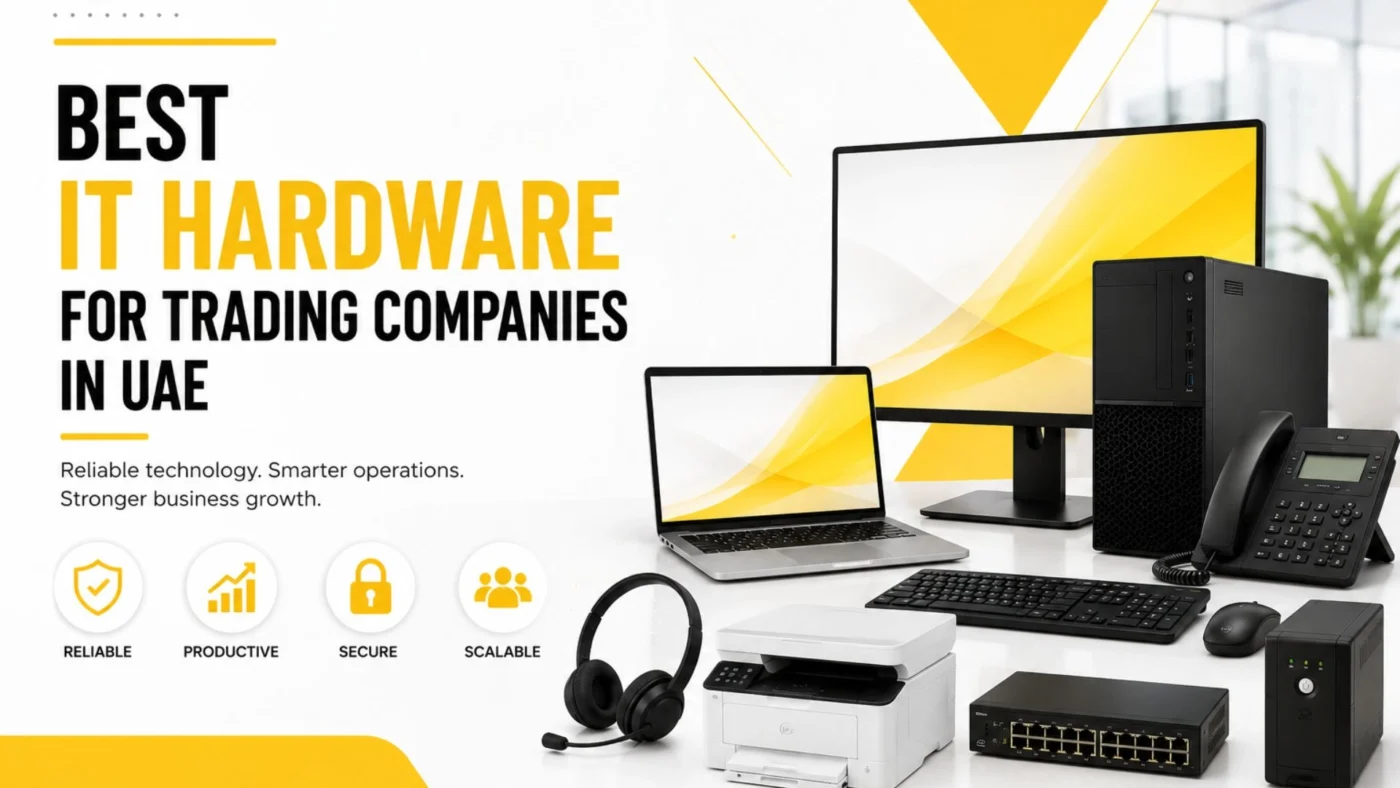
Best IT Hardware for Trading Companies in UAE: Complete Office Setup Guide
Aug
A trading company requires speed, communication, accuracy, security, and constant accessibility of business systems. Whether you have a small trading office in Dubai or have a distributed team across the UAE, the right technology infrastructure can help boost productivity.
When selecting IT Hardware for a trading company, simply going for the most powerful laptops or the newest monitors is a suboptimal choice. The workspace needs an optimal combination of devices like computers, monitors, networking equipment, printers, and storage and backup devices. The communication devices and accessories also need to be taken into consideration.
For trading companies in the UAE, hardware selection also relates to the size of the office, remote working, data security, and scalability while also accounting for the budget. An optimal workspace can significantly help employees in their daily tasks, and also helps boost productivity.
This article will provide an insider’s perspective into some of the best IT Hardware for trading companies in the UAE and how to create the best IT workspace for trading businesses.
Why Trading Companies Need Reliable IT Hardware

Employees work with orders, spreadsheets, emails, inventory info, and customer records. They may also use accounting software, ERP, CRM, cloud-based apps, and video conferencing tools throughout the day.
The Best IT Hardware should have dependable performance throughout the work day. Slow computers, spotty networks, or insufficient storage can impact productivity.
A reliable setup should support three key priorities:
- Reliable daily performance
- Secure business operations
- Easy future expansion
For companies searching for IT hardware for trading companies in the UAE, choosing equipment according to actual business requirements is more effective than simply buying the most expensive devices.
1. Business Laptops for Trading Employees
For trading companies, laptops are the primary foundation of employee workstations. Sales staff, purchasing teams, accountants, managers, and admin employees can all rely on a reliable business laptops to get through their day.
For most office users, the following specifications are sufficient:
- Modern Intel Core or AMD Ryzen processor
- 8GB RAM for basic workloads
- 16GB RAM for heavier multitasking
- SSD storage
- Full HD display
- Reliable Wi-Fi
- USB and USB-C connectivity
- Business-grade warranty
Employees working with large spreadsheets, ERP applications, accounting software, and multiple browser tabs may benefit from 16GB RAM.
The important point is to match the laptop with the employee’s workload instead of giving every employee identical specifications.
2. Desktop PCs for Fixed Workstations
Most employees do not require a laptop. Desktops can aid reception, accounting, admin, and other fixed workstation employees adequately.
A suitable business desktop may include:
- Modern multi-core processor
- 16GB RAM
- 512GB SSD
- Gigabit Ethernet
- Multiple display outputs
- Windows-compatible business configuration
IT Hardware for fixed workstations should provide satisfactory performance and allow reasonable upgrades.
For employees who work from a single location, a desktop can be a more comfortable and cost-effective choice than a laptop
3. Dual Monitors for Better Productivity
Spreadsheets, emails, documents, ERP systems, browser applications, etc., benefit from more screen space.
A dual monitor setup allows users to have two applications open side by side without constantly opening / closing windows.
For example, a finance employee may like to have accounting software open on one screen whilst leaving room to have other software like spreadsheets or emails open on the second screen.
When selecting monitors, businesses should consider:
- Screen size
- Resolution
- HDMI or DisplayPort connectivity
- Adjustable stands
- Eye-comfort features
- Available desk space
For many office users, dual monitors can be a simple but effective productivity upgrade.
4. Business Networking Equipment
The best IT hardware can often be hindered by an unstable office network.
Activities such as sending emails, working on cloud applications, connecting to supplier portals, placing VoIP calls, file transfer, and video meetings rely on the internet.
A business network may require:
- Business router
- Firewall
- Managed switches
- Wireless access points
- Cat6/Cat6A cabling
- Network rack
- Patch panels
- UPS protection
Segmenting a network may be necessary for large offices to separate the employee devices, guest devices, security devices, and other connected equipment.
When selecting networking equipment, consider the number of employees, the anticipated speed of the internet, the layout of the office, the number of devices to be connected, and the potential for growth of the business.
5. Firewall and Network Security Hardware
Trading companies regularly handle business-sensitive information, so network security should be part of the initial hardware plan.
A business firewall can help monitor and control traffic between the internal network and external connections.
Depending on company requirements, a firewall may provide features such as:
- VPN
- Intrusion prevention
- Web filtering
- Application control
- Threat detection
- Centralized management
- Multiple WAN connections
The Best IT Hardware security solution is dependent on the size of the organization and the associated risks.
Hardware security needs to work with endpoint protection, built-in software security features, strong passwords, MFA, software updates, and the employees’ overall security.
6. Printers and Scanners for Trading Offices
Trading companies may still need to print invoices, contracts, quotations, purchase orders, delivery documents, and other records.
A multifunction printer can be particularly useful because it combines:
- Printing
- Scanning
- Copying
- Network connectivity
The best IT Hardware printer is determined by the volume of documents to be printed and the specific requirements of the business. This would include factors such as print speed, monthly print capacity, duplex printing, networking, consumables costs, and the maintenance contract.
For offices with heavy document printing requirements, it is better to invest in a business printer and not rely on consumer models.
7. UPS Systems for Business Continuity
Computers, network equipment, servers, and storage devices are all negatively impacted by power interruptions and voltage fluctuations.
A UPS can provide a few minutes of battery power for critical equipment when the main power supply is disrupted.
The Best IT Hardware setup may use UPS protection for:
- Servers
- Network switches
- Firewalls
- Routers
- NAS devices
- Critical workstations
The required UPS capacity depends on the equipment connected to it and the amount of backup runtime required.
8. Storage and Backup Hardware
Every business, including trading companies, generates data like contracts, customer and supplier records, accounting info and more each business day.
Best IT Hardware plans must account for backup and storage.
Depending on the business, this could include:
- NAS storage
- External backup drives
- Server storage
- Network-attached backup
- Cloud backup
- Hybrid backup
Storage and backup are not the same thing. A second copy of a file on the same device does not provide complete protection against hardware failure.
Businesses should consider multiple copies, different storage locations, retention requirements, and regular recovery testing.
9. Servers for Growing Trading Companies
Most trading companies don’t need an on-premise server. Many are served by cloud applications for email, accounting, file storage, CRM, and document management.
If a company needs on-premises local file storage, applications or other workloads that need to be on the premises, a server may be needed.
When planning an IT hardware server selection, the expected workload is the primary consideration.
Businesses should consider:
- Processor
- RAM
- Storage
- RAID
- Network connectivity
- Backup
- Power protection
- Warranty
- Future expansion
The total business need should drive the selection of hardware components, such as the server, rather than just the processor and storage considerations.
10. Professional Headsets and Communication Devices
A trading operation includes all activities related to the buying and selling of goods and services. Communication is one of the most critical parts of a trading operation. Employees communicate with customers, suppliers, logistics partners and international offices on a daily basis.
The proper IT Hardware communication setup will include, at the minimum, headsets and webcams and could include speakers and conference room equipment.
For meeting rooms, companies may also require:
- Conference cameras
- Speakerphones
- Room microphones
- Large displays
- Wireless presentation devices
A good communication solution can improve call quality and add a level of professionalism to your remote meetings.
11. Docking Stations and Business Accessories
Small accessories can have a noticeable impact on employee productivity.
A modern workstation may include:
- USB-C docking station
- External keyboard
- Ergonomic mouse
- Laptop stand
- Webcam
- Headset
- External monitor
- Cable-management accessories
For laptop users, a docking station can make it easier to connect external monitors, network cables, keyboards, mice, and other peripherals.
The Best IT Hardware workstation is therefore not just the laptop itself but the complete setup around it.
How to Choose the Best IT Hardware by Department

Different departments have different workloads, so businesses should avoid giving every employee exactly the same equipment.
|
Department |
Recommended Hardware |
|
Sales |
Business laptop, headset, webcam |
|
Finance |
Desktop/laptop, dual monitors |
|
Procurement |
Laptop/desktop, dual monitors |
|
Management |
Business laptop, docking station, monitor |
|
Warehouse |
PC, barcode scanner, label printer |
| Administration |
Desktop/laptop, printer, scanner |
This role-based approach helps businesses control costs while ensuring employees have the equipment they actually need.
For example, a finance employee may benefit more from additional RAM and dual monitors, while a sales employee may prioritize portability and battery life.
Office IT Setup in Dubai: What Trading Companies Should Plan First
When considering the Best IT Hardware for your business, you need to analyze the needs of your office.
Begin by estimating the number of employees, number of departments, number of workstations, number of printers, and total number of network connections.
Next, develop the overall design of the office and decide the placement of workstations, network equipment, printers, wireless access points, and other infrastructure.
Structured cabling, internet services, security, and power protection and backups should be planned before making a final decision with regard to purchases of hardware.
This will eliminate the most common mistake that companies make – buying computers and then finding out that the network and infrastructure cannot support the users.
For companies looking for office IT setup services in Dubai or complete trading company IT solutions, planning the full setup from the start makes future upgrades much easier.
How Much Should a Trading Company Spend on IT Hardware?

There is no universal IT hardware budget for every UAE trading company.
A five-person office will have very different requirements from a 100-person organization.
Businesses should consider the total cost of ownership rather than focusing only on the initial purchase price.
Important factors include:
- Purchase cost
- Performance
- Warranty
- Reliability
- Maintenance
- Upgradeability
- Energy consumption
- Expected lifespan
The Best IT Hardware is often equipment that provides the right balance between price, performance, reliability, and long-term value.
Common IT Hardware Mistakes Trading Companies Should Avoid
Choosing Consumer Hardware
Consumer devices may not always provide the durability, warranty, management features, or support required in a business environment.
Ignoring Network Requirements
Fast computers cannot compensate for an unreliable internet connection or poorly designed office network.
Buying Too Little Storage
Business data grows continuously, so storage requirements should be considered before purchasing equipment.
Forgetting Backup
Hardware failure without a reliable backup can create serious operational problems.
Buying Without Standardization
Using too many different models can make maintenance, troubleshooting, and replacement more complicated.
Ignoring Future Growth
Companies expecting to expand should consider whether their network and hardware can support additional employees and devices.
Why Choose Cost To Cost for IT Hardware in the UAE?

Choosing the Best IT Hardware is easier when businesses can source different technology requirements from a reliable supplier.
Cost To Cost Trading Co. LLC located in Dubai provides IT products, computer accessories, networking devices, software and telecommunication equipment, office supplies and security equipment to businesses in the UAE, GCC, and Africa.
Businesses can source different categories of technology products, including:
- Laptops and desktops
- Monitors
- Printers
- Networking equipment
- Computer accessories
- Software
- Telecom products
- Security products
One of the plus points of working with an IT supplier is that businesses are in a position to evaluate the specifications, rather than only the prices, of different products according to their specific requirement.
For prospective buyers in the UAE, Cost To Cost is worth considering when setting up a new office, replacing obsolete hardware, or expanding IT infrastructure.
Businesses can consider value and performance, rather than select by price, when considering compatibility, warranty, and the potential longevity of IT equipment.
Final Thoughts
Having the right technology environment can help a trading company work at its full potential.
The best IT hardware can vary. It is about having the combination of performance, reliability, security, compatibility, and scalability for your business.
A typical trading office from the UAE should include a reliable foundation of laptops or desktops, monitors, networking equipment, security hardware, a printer, backup devices, UPS, and communications accessories.
Businesses should not be so price-conscious that they base their hardware purchases on just the equipment’s cost or specs. They should consider the employees’ role, the vendor support, the warranty, and how the hardware will evolve with the office.
No matter if you are starting up a trading company in Dubai, expanding your business to Sharjah, or improving your business in Abu Dhabi, a well-constructed hardware plan can enhance productivity and reliability in the workplace.
Cost To Cost can assist UAE businesses with exploring IT products and equipping the trading companies with the IT products that match their trading company needs.
frequenlty asked questions
A typical trading company may need business laptops or desktops, monitors, networking equipment, printers, UPS systems, backup storage, communication devices, and accessories.
Laptops are useful for employees who travel or work flexibly, while desktops are practical for fixed office workstations. Many businesses use a combination of both.
Basic office work may run on 8GB, while 16GB is generally more comfortable for employees using spreadsheets, browsers, cloud applications, and business software simultaneously.
No. Many businesses can operate with cloud-based applications. A server may be useful for companies with specific local storage, application, or infrastructure requirements.
Dual monitors allow employees to keep multiple applications visible simultaneously, which is useful for finance, sales, procurement, logistics, and administration.
Businesses should consider performance, compatibility, reliability, warranty, support, scalability, security, maintenance, and total cost of ownership rather than focusing only on the purchase price.